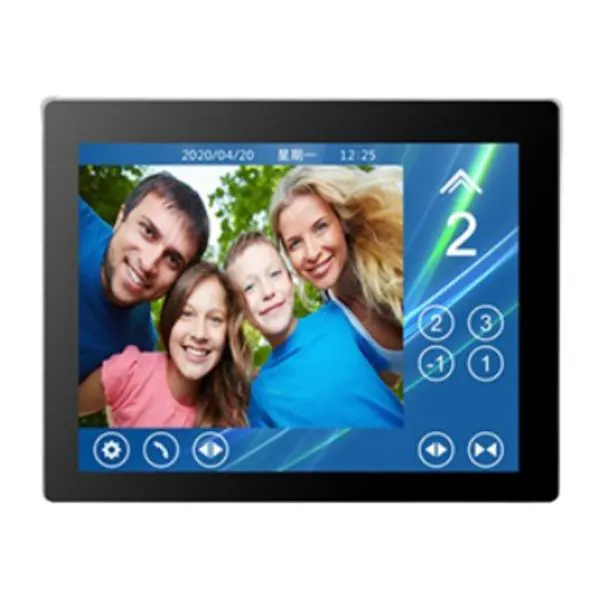
HE CCB-T10.4-BT Home Elevator Touch COP
Description
What “COP” Means
COP (Car Operating Panel) is the main control panel inside an elevator car. It typically includes:
- Floor selection buttons
- Door open/close controls
- Emergency alarm/stop buttons
- Display of floor and direction
Modern versions replace physical buttons with a touchscreen, offering a more advanced and user‑friendly interface.
📱 What the T10.4 Part Means
The “T10.4” in the model name very likely refers to a 10.4‑inch touchscreen (LCD or TFT) display used in the panel. These displays are common in intelligent elevator COPs to provide floor selection and status information on a digital screen.
🏠 “Home Elevator Touch COP” Explained
- Home/Residential Use: This panel is intended for smaller elevators typically installed in houses, villas, or low‑rise buildings.
- Touchscreen Interface: Instead of mechanical buttons, floor selection and control actions are made via a touch panel.
- Modern Display: A 10.4‑inch display can show floor indicators, elevator status, icons, and sometimes additional info like date/time or messages.
🧠 Typical Features of Touch COPs
Modern 10.4‑inch touch COP panels often include features such as:
• Capacitive touch interface – responsive and durable.
• Digital floor selection – with animated icons or virtual buttons on the screen.
• Display information – shows current floor, direction, door status, etc.
• Emergency and functional buttons – often integrated into the touchscreen UI as virtual or physical icons.
• Customizable UI – can be programmed with languages, building logos, or additional features.